Back to Home

Quick Start Guide

No apps to configure. No accounts to create. Just a WiSpyAlert and a Wiz smart bulb — automatic protection by tomorrow night.

What You Need

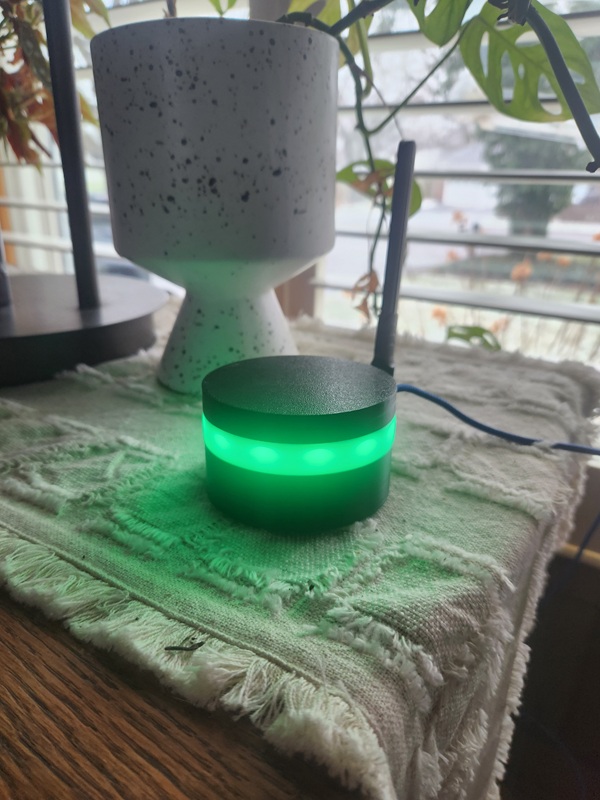
WiSpyAlert device with green LEDs

WiSpyAlert

Detection device

$149
Includes 3 years cloud service
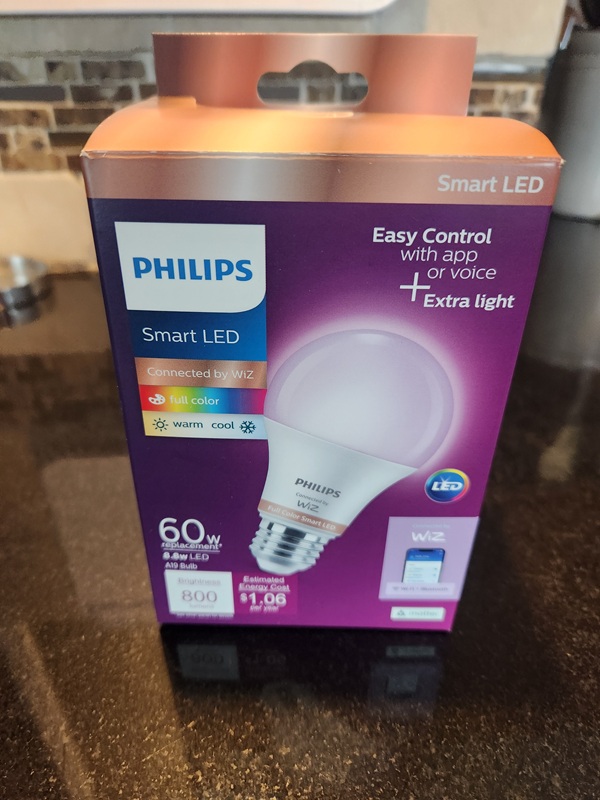
Wiz smart bulb box from Home Depot

Wiz Smart Bulb

Available at Home Depot

~$13
Any Wiz WiFi bulb works
~$162
Total
Complete protection
Day 1: Setup & Learning
1
Set Up Your Wiz Bulb

Screw the Wiz bulb into your porch light (or wherever you want it). Follow the Wiz app instructions to connect it to your WiFi network. This takes about 5 minutes.

2
Plug In WiSpyAlert

Place WiSpyAlert in a front window. Plug it in and connect it to your WiFi using the setup wizard. The device enters learning mode automatically.

3
Wait 24 Hours

WiSpyAlert spends the next 24 hours learning your environment — your family's phones, your neighbors' devices, regular delivery patterns. No action needed from you.

Why 24 hours? This learning period is what makes WiSpyAlert smart. It learns what's "normal" so it only alerts on genuinely unusual activity.
Day 2: Connect Your Light
4
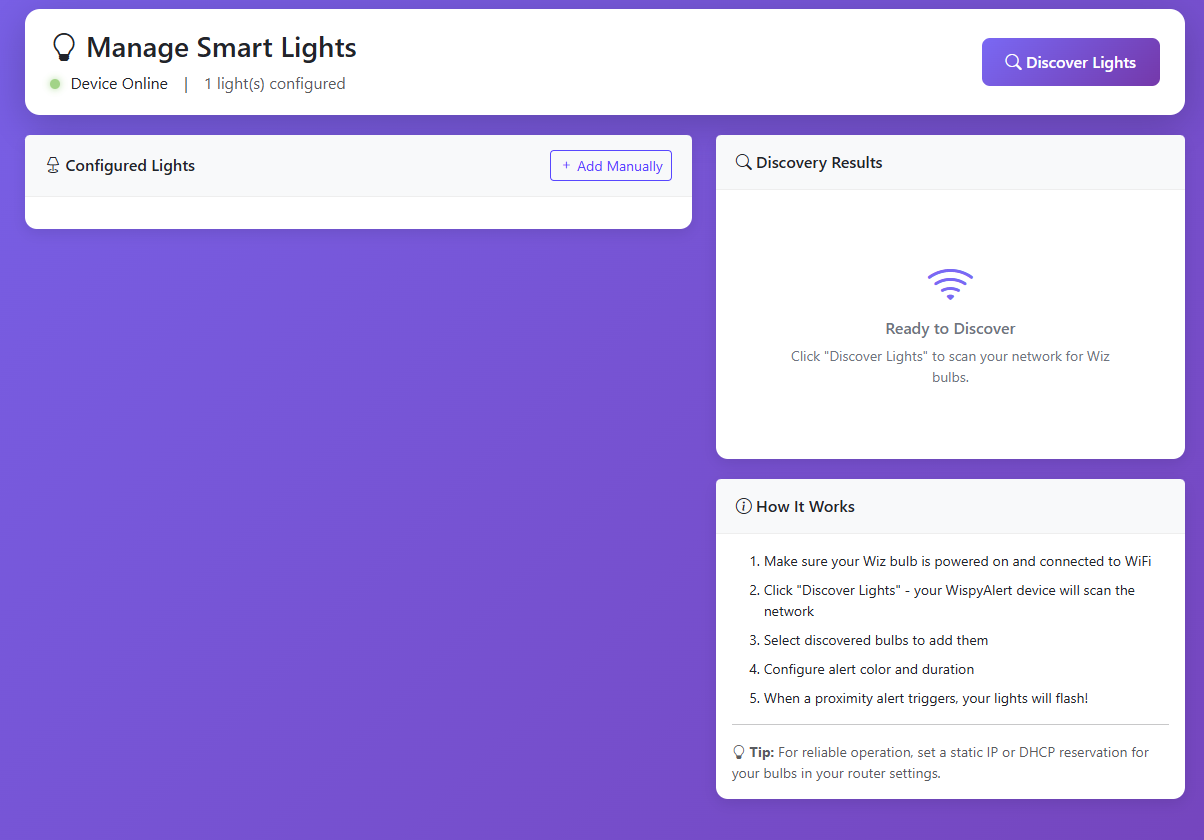
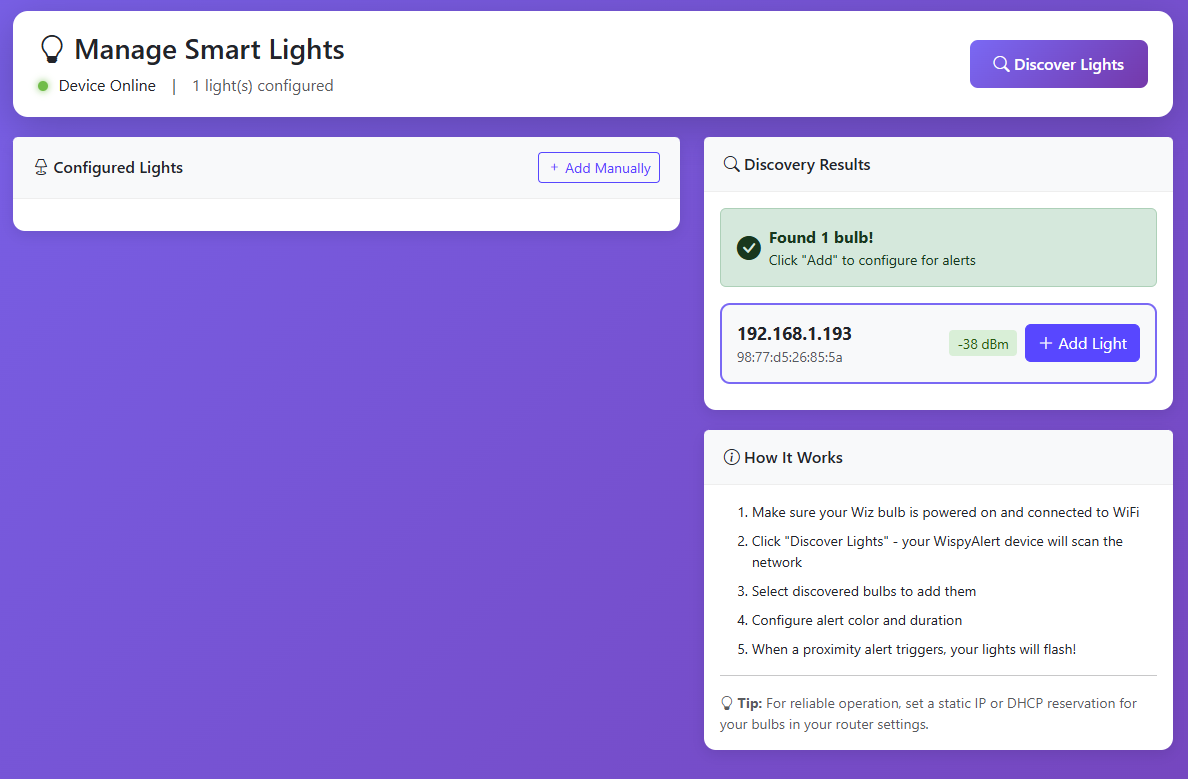
Open Manage Lights

Learning complete! Go to your WiSpyAlert dashboard and click Manage Lights. Then click Discover Lights to find your Wiz bulb.

Manage Lights screen with Discover Lights button
5
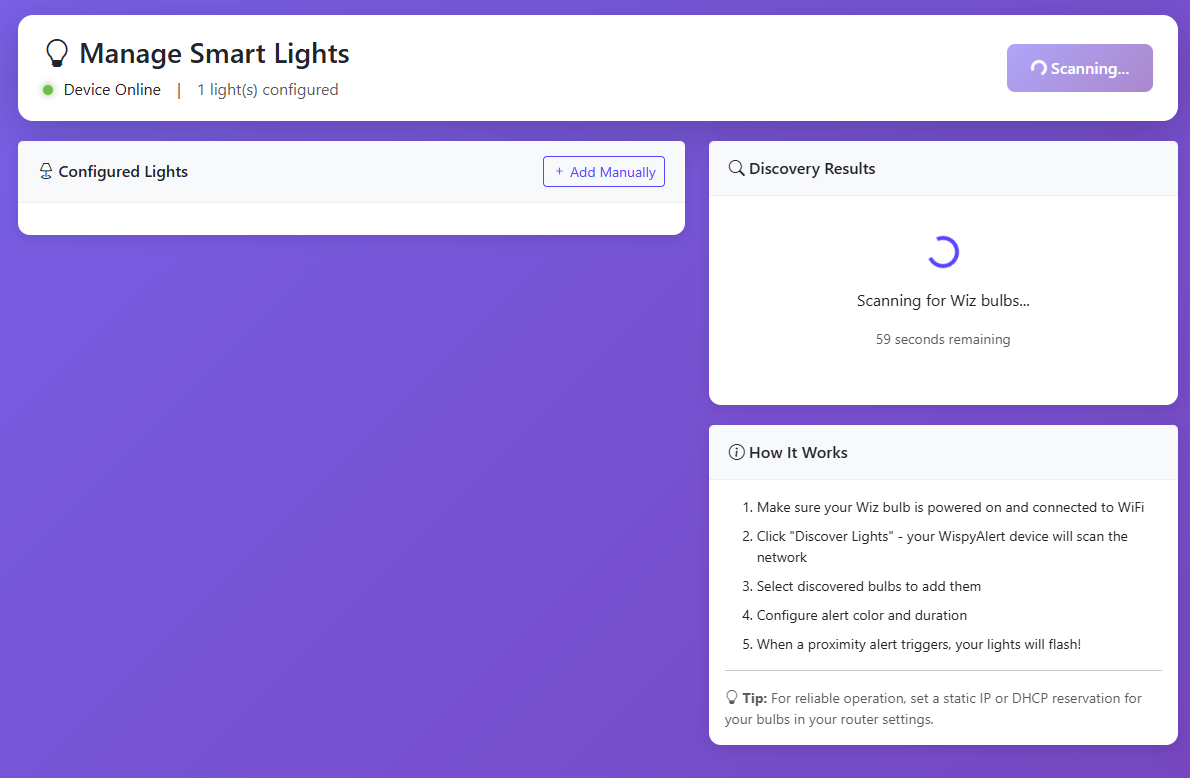
Discovery in Progress

WiSpyAlert scans your network for Wiz bulbs. This usually takes less than a minute.

Discovery countdown screen
6
Bulb Found — Add It

Your Wiz bulb appears. Click Add Light to bring it into WiSpyAlert.

Bulb discovered, Add Light button
7
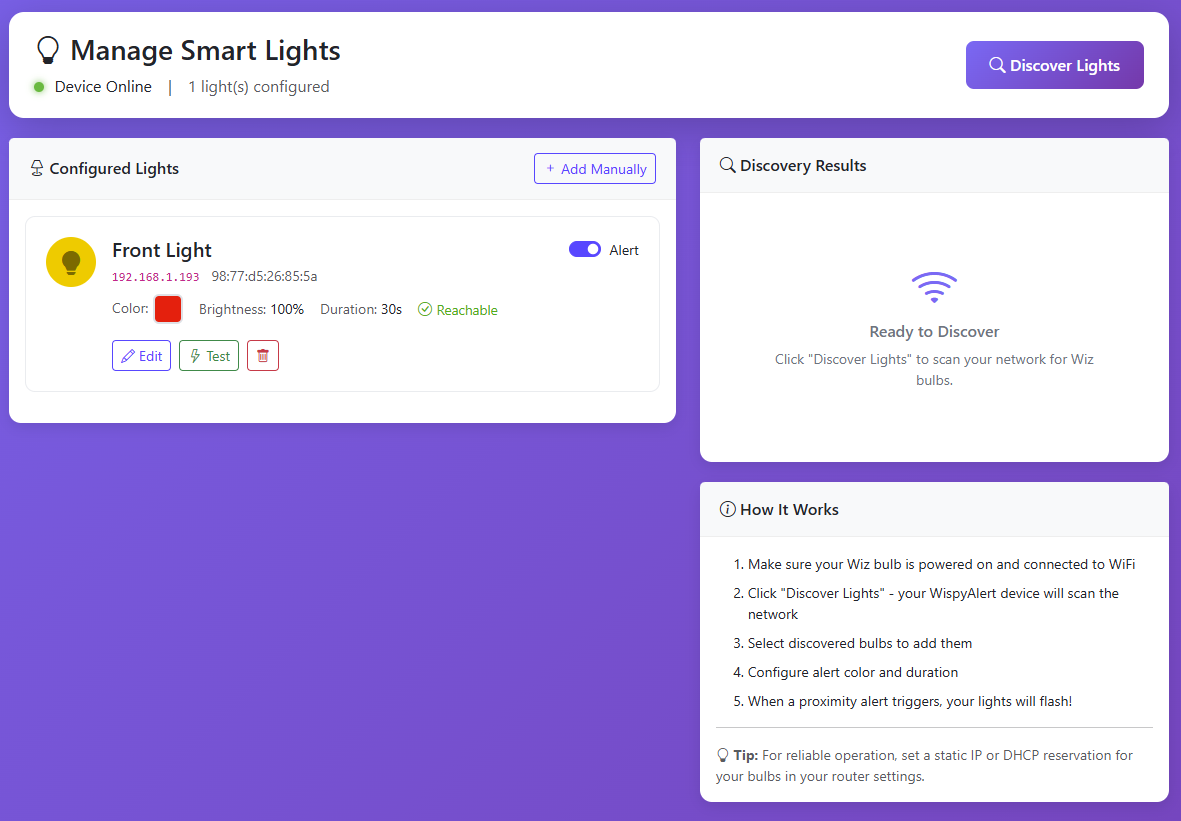
Light Configured

The bulb is now connected. You can test it right here, or click to edit the settings.

Configured light with test option
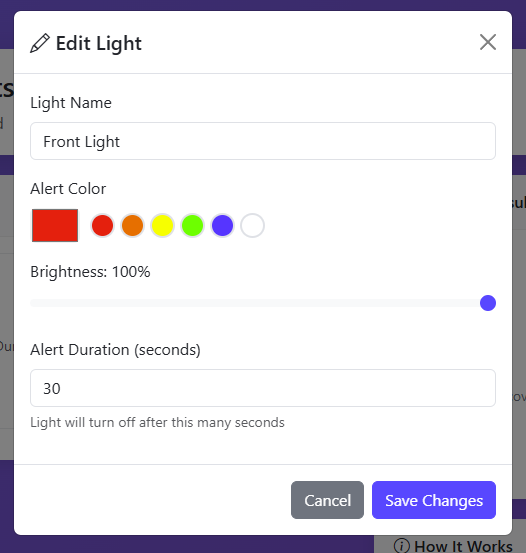
8
Customize Your Alert

Give the bulb a name, choose the alert color, set the brightness, and how long it stays on when triggered. Hit save — you're done.

Edit light settings - name, color, brightness, duration

That Night: You're Protected

Here's what happens when someone approaches your home:

Someone
approaches
WiSpyAlert
detects device
Wiz bulb
turns on
Intruder sees
"awake" house
You sleep
through it

Check your dashboard in the morning. See exactly when someone approached — and that your light did its job.

Want More?

The Wiz bulb is just the beginning. WiSpyAlert integrates with your entire smart home.

Home Assistant

Full local control with advanced automations. Trigger any device in your HA setup.

IFTTT

Connect to hundreds of services. Send texts, log to spreadsheets, trigger cameras.

Zapier

Build complex workflows. Multi-step automations for power users.

Ready to Get Started?

WiSpyAlert + Wiz bulb = automatic protection by tomorrow night.

Get WiSpyAlert — $149

30-day money-back guarantee • Free shipping